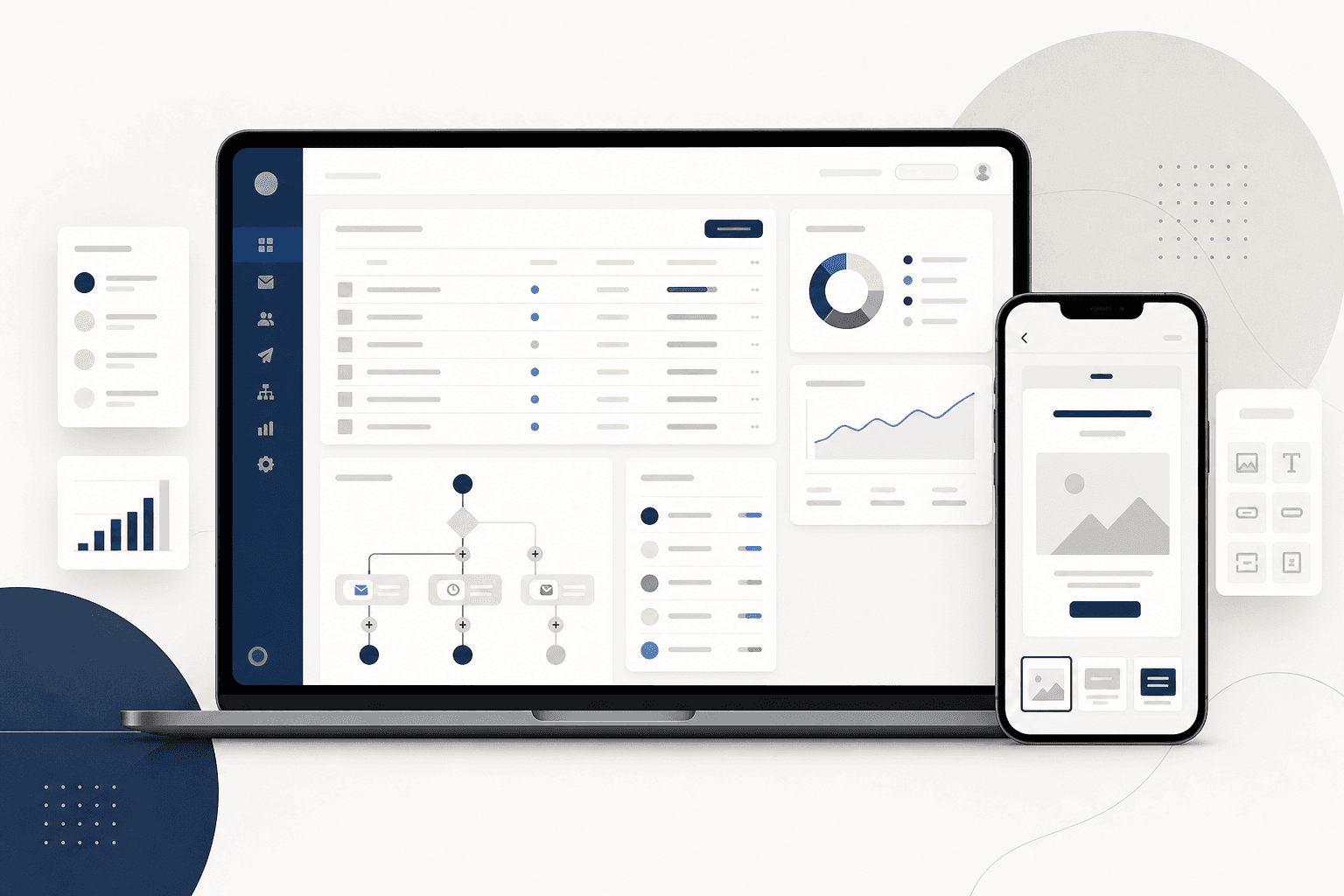
Background
The legacy email express system was built for a smaller feature set. As targeting volume and personalization requirements grew, the product needed a new architecture — and a UI that could keep pace with how modern marketing teams actually work.
Problem Statement
Business users couldn't self-serve on core ESP tasks: audience segmentation, automated campaign creation, scheduling, flow building, and HTML editing all required technical intervention. The interface reflected old mental models, slowing teams down and increasing delivery failures when campaigns were misconfigured.
Business Opportunity
A redesigned platform would reduce engineering dependency, improve campaign throughput, and give marketers a clearer path from audience definition to send — lowering errors and increasing broadcast volume without sacrificing control.
Proposed Solution
I helped shape a new product experience around three UX pillars: self-serve audience building, visual automation flows, and guided campaign creation — all within a scalable architecture the engineering team could ship incrementally.
My role & UX approach
- Mapped the existing system and ran competitive analysis against leading ESPs to identify table-stakes vs. differentiating patterns
- Facilitated workshops with product owners and stakeholders to align on user goals, permissions, and rollout phases
- Defined personas and journey maps for campaign managers, analysts, and ops users with different levels of technical comfort
- Structured information architecture and task flows for segmentation, scheduling, and automation — prioritizing progressive disclosure over feature dumps
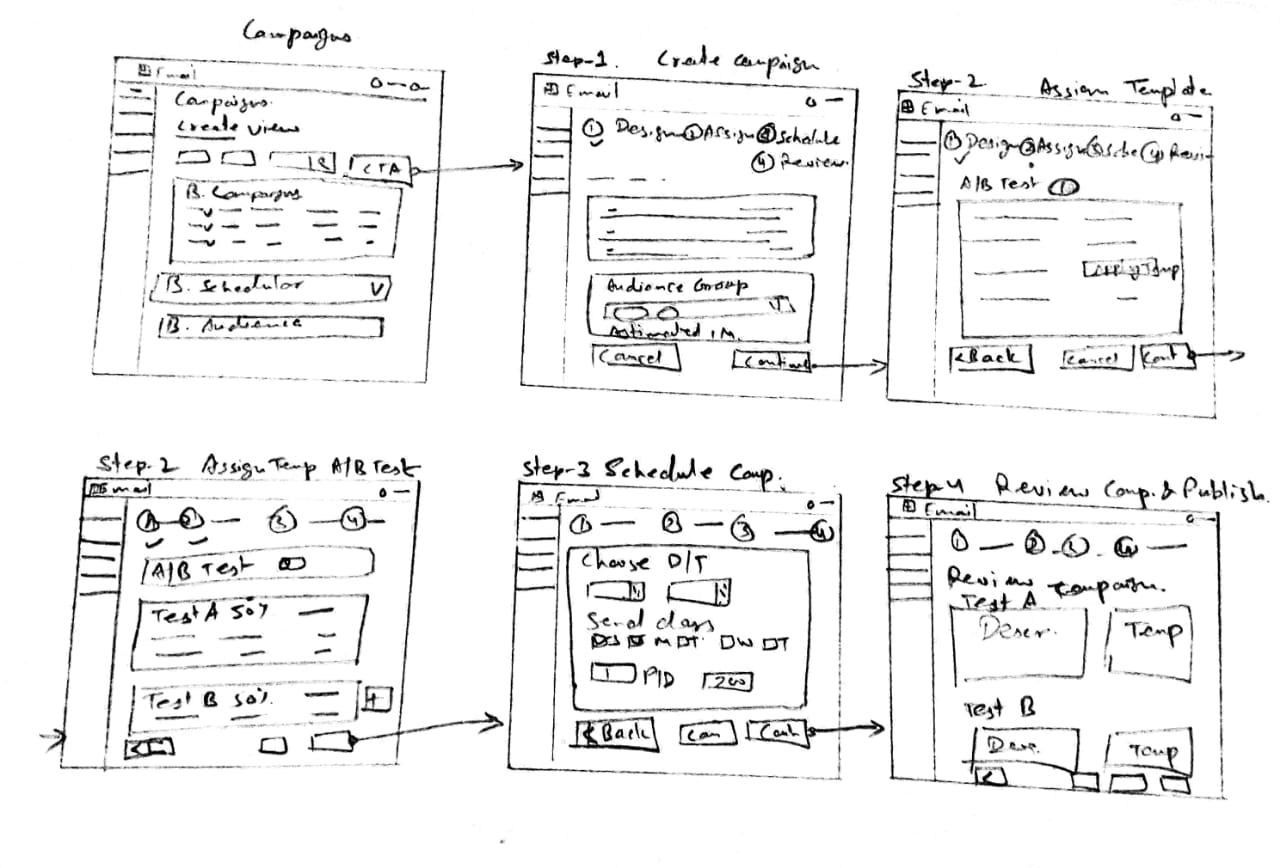
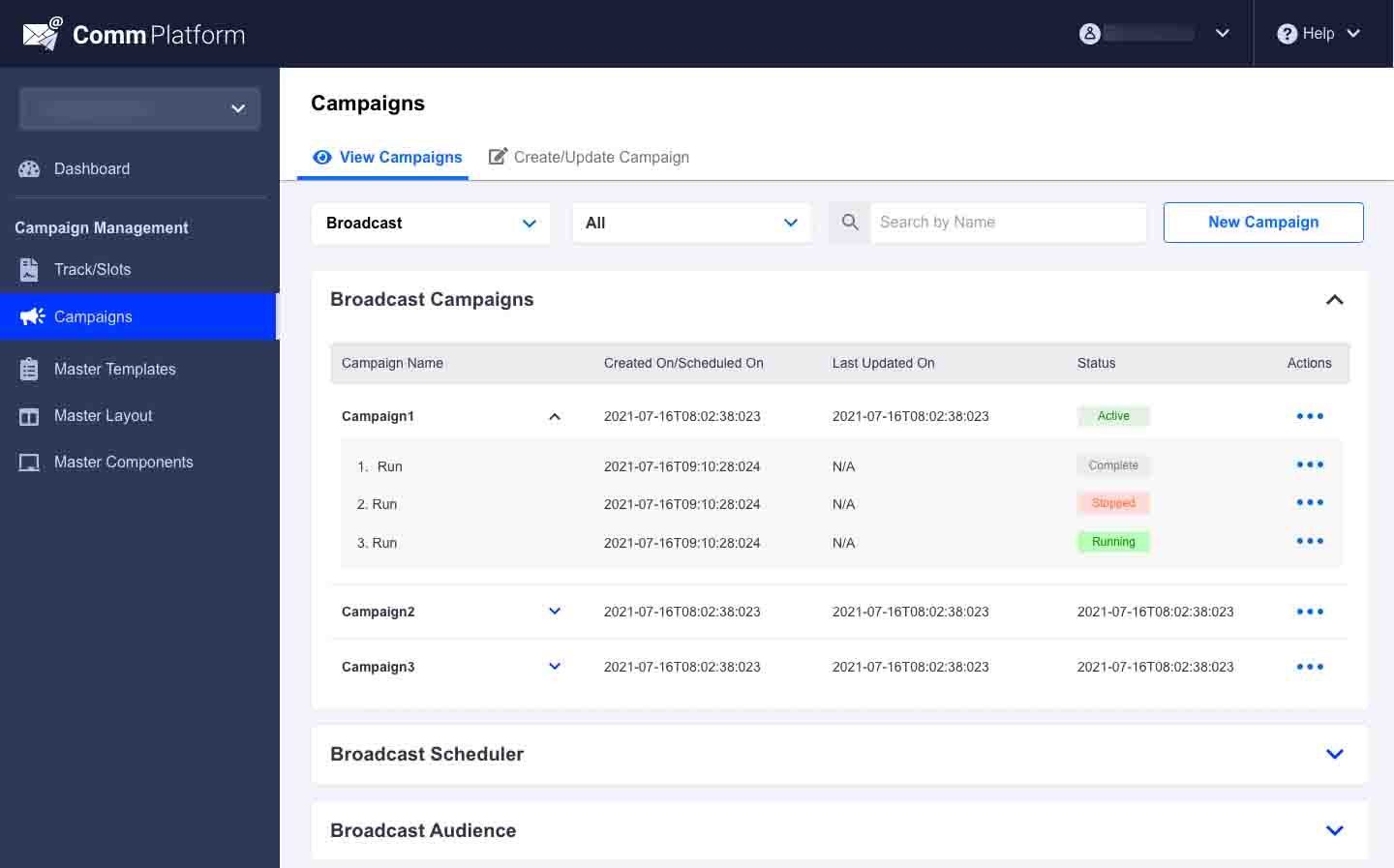
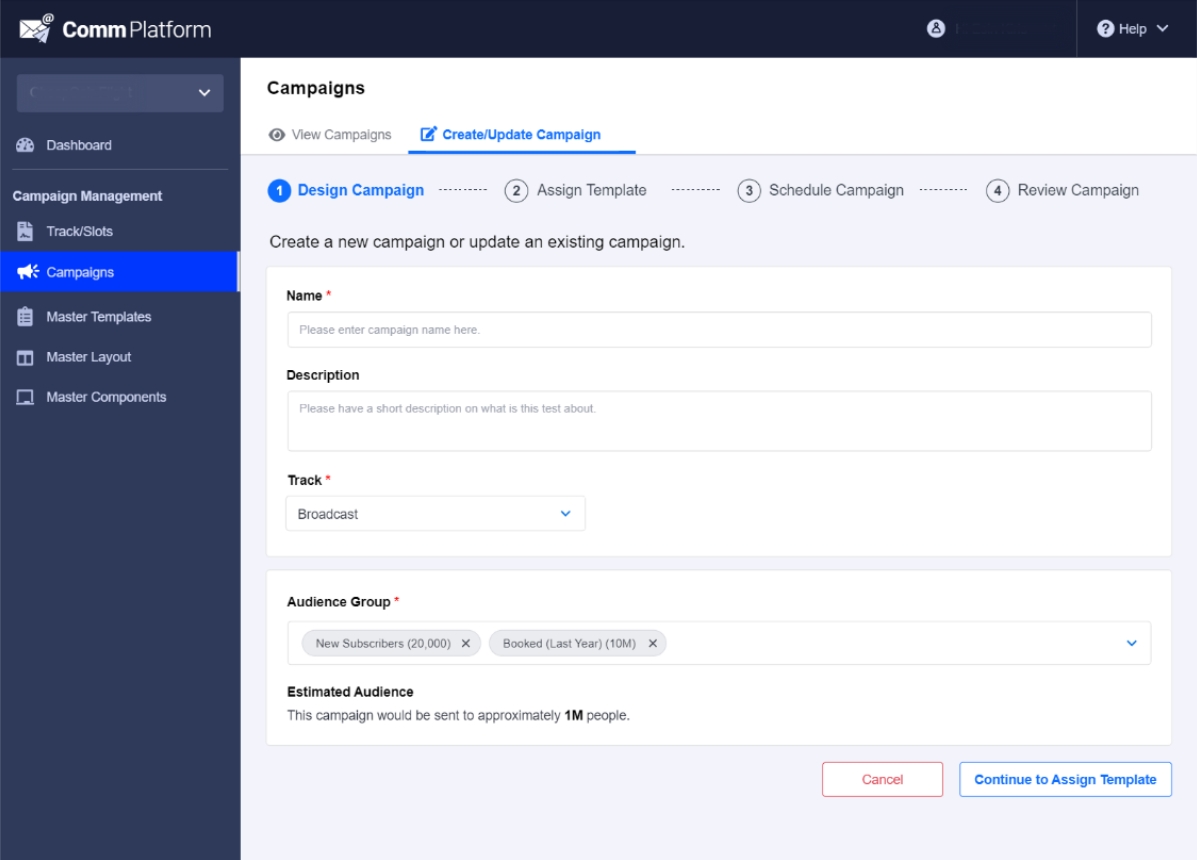
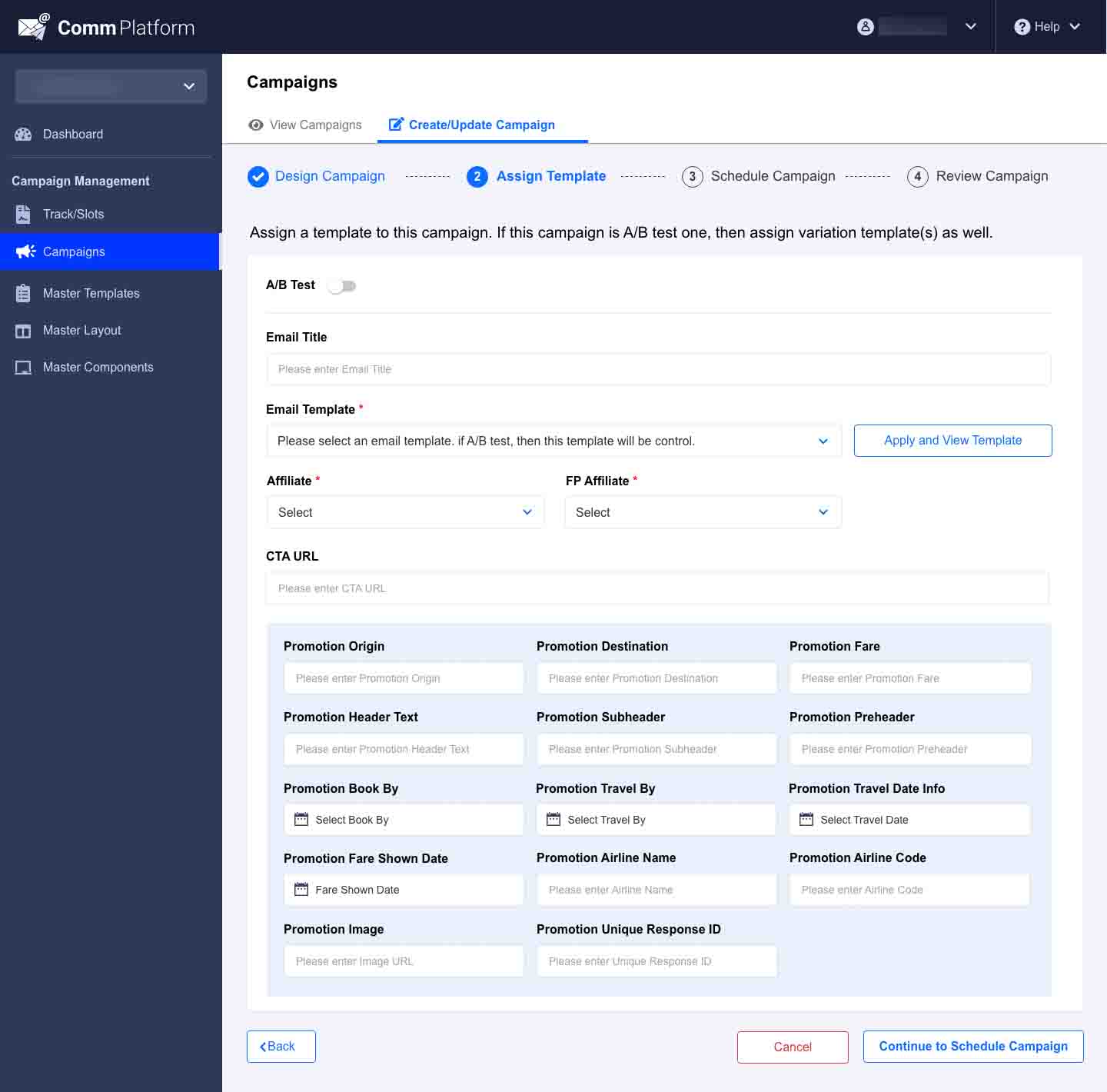
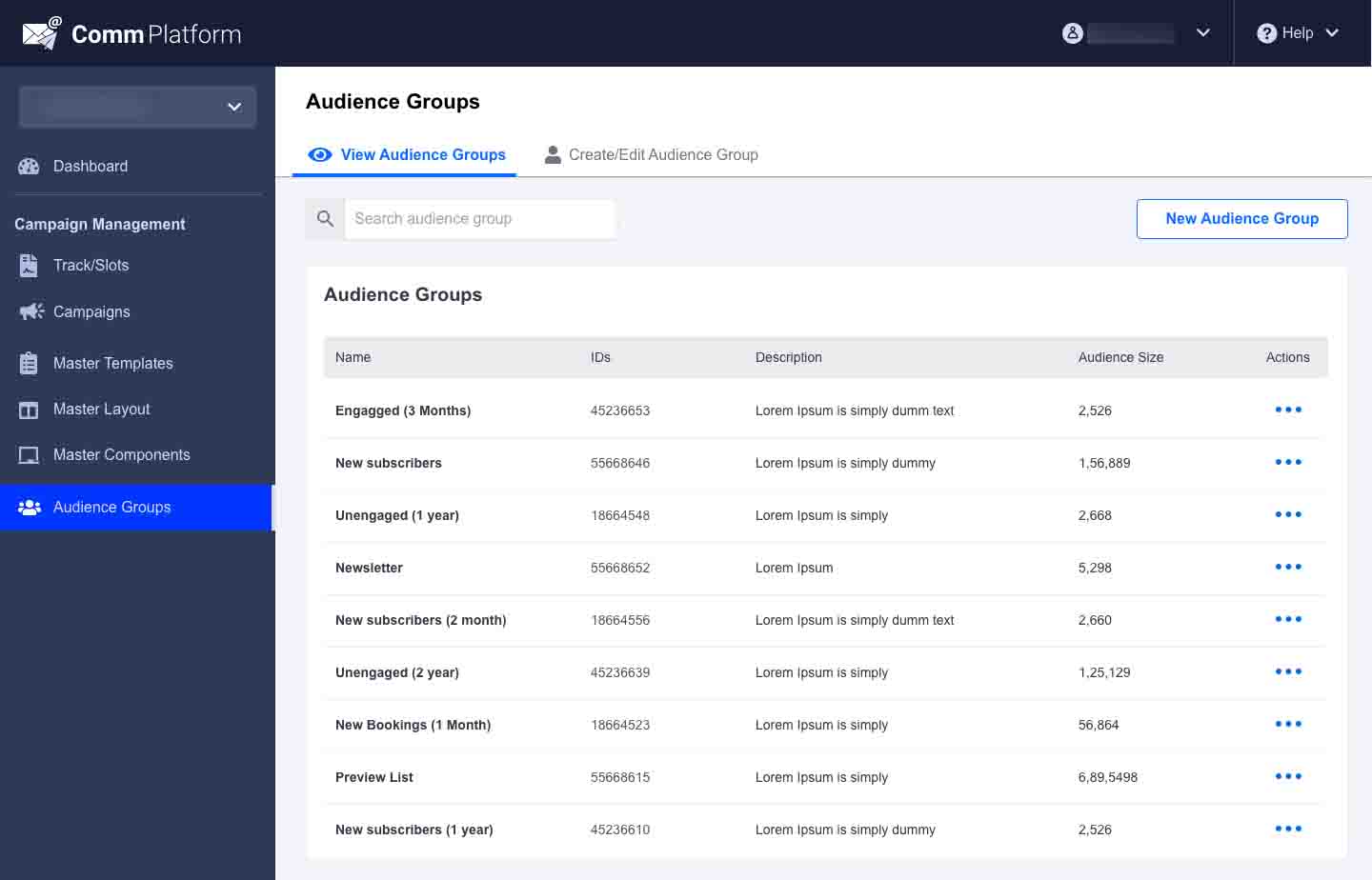
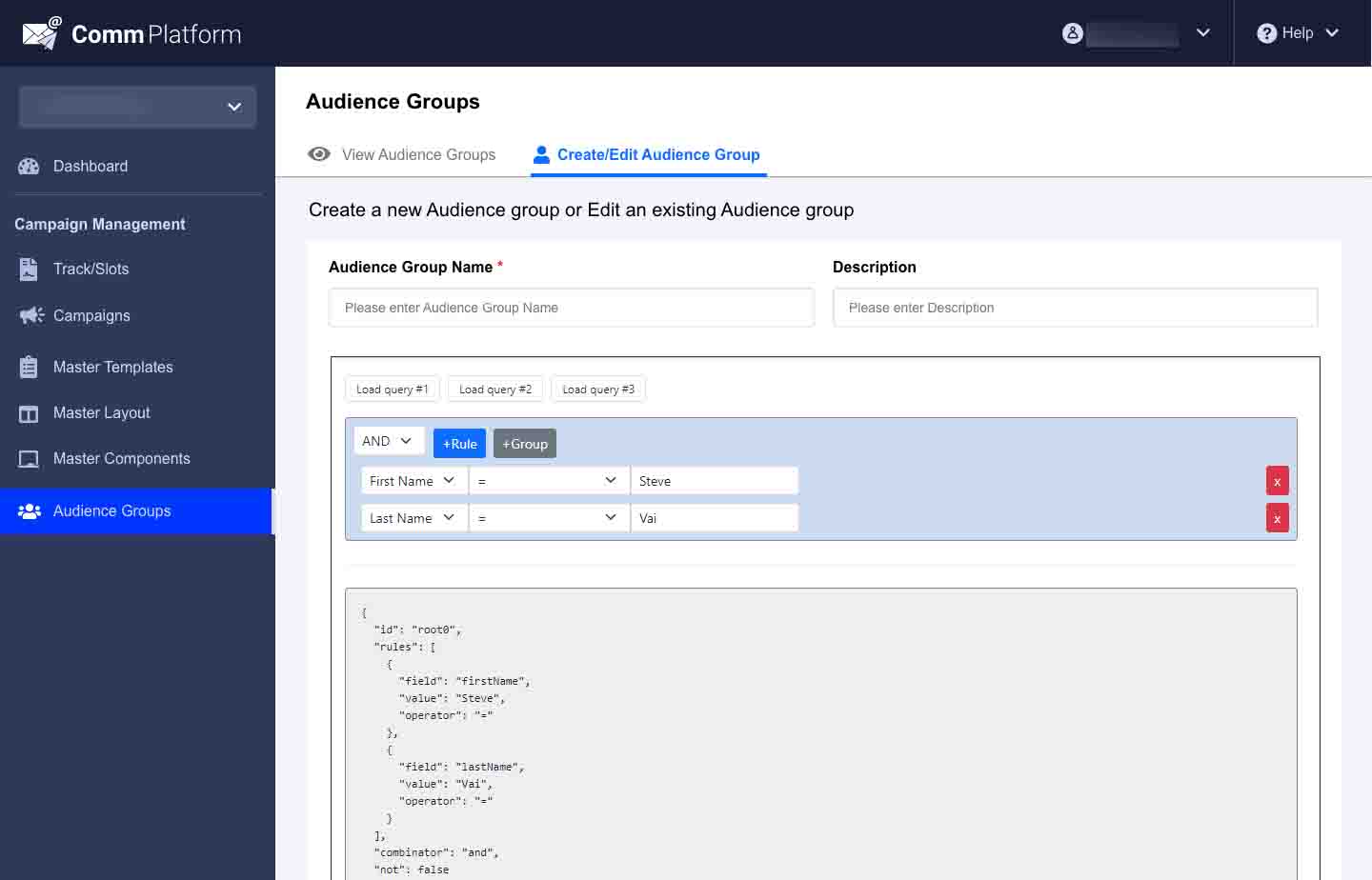
- Produced low- and high-fidelity wireframes, then UI designs with consistent components for lists, editors, and flow builders
- Used clickable prototypes early to validate multi-step flows before high-fidelity polish — reducing late-stage rework
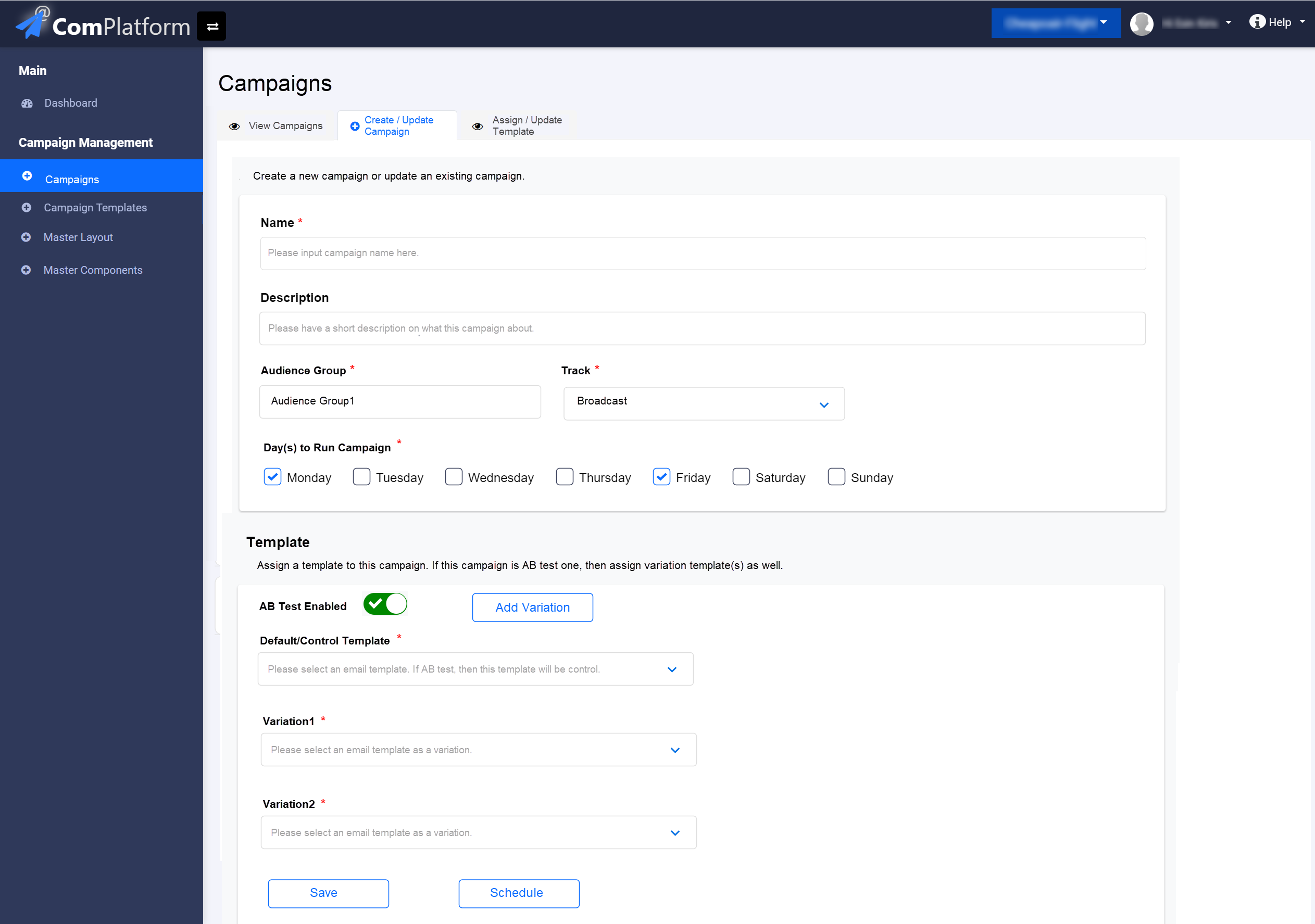
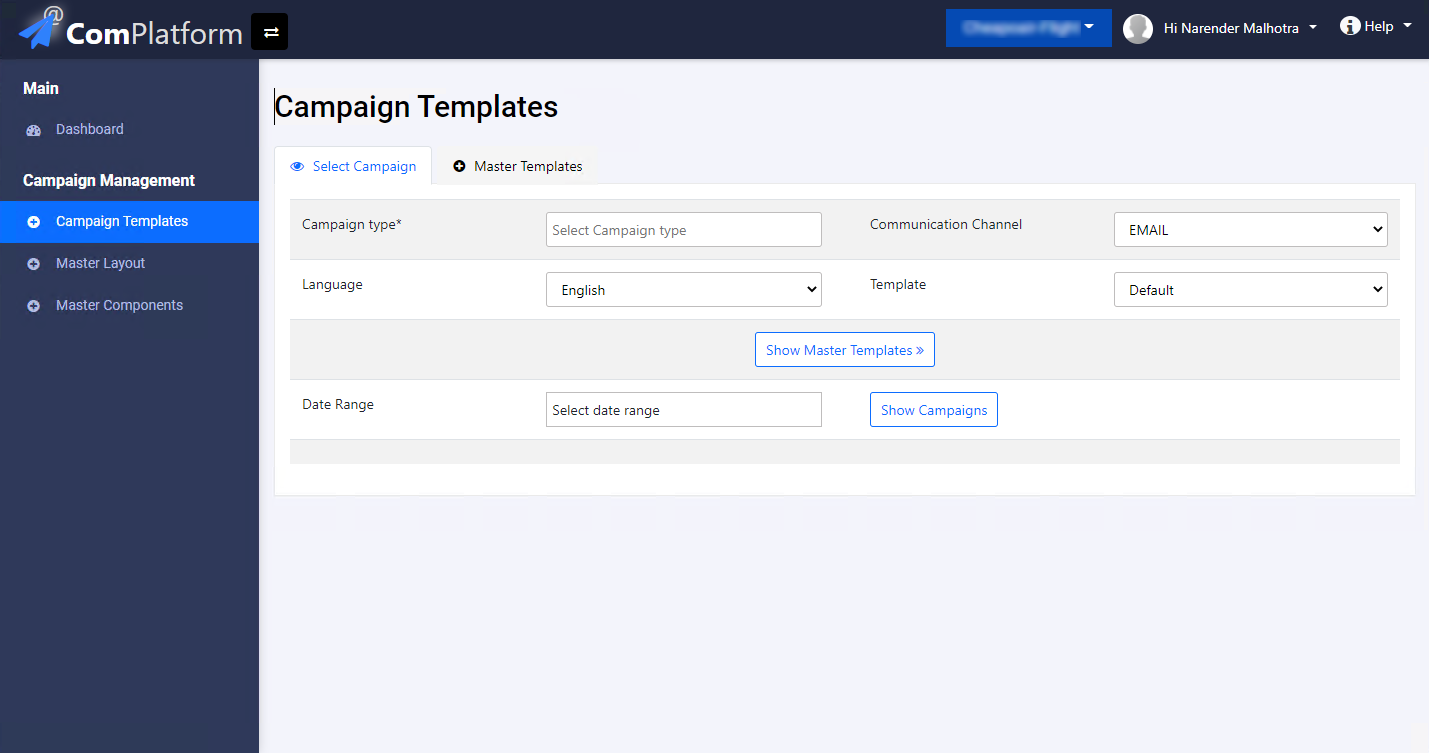
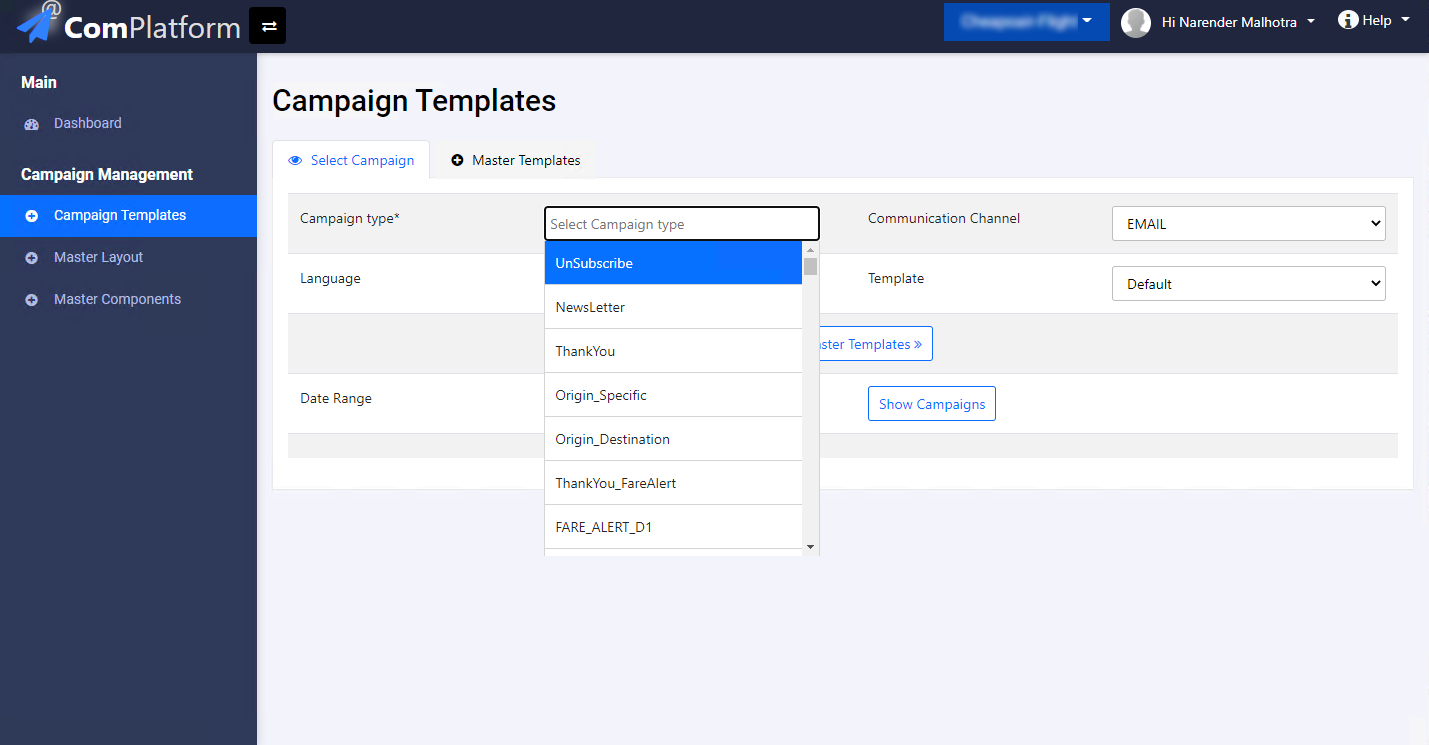
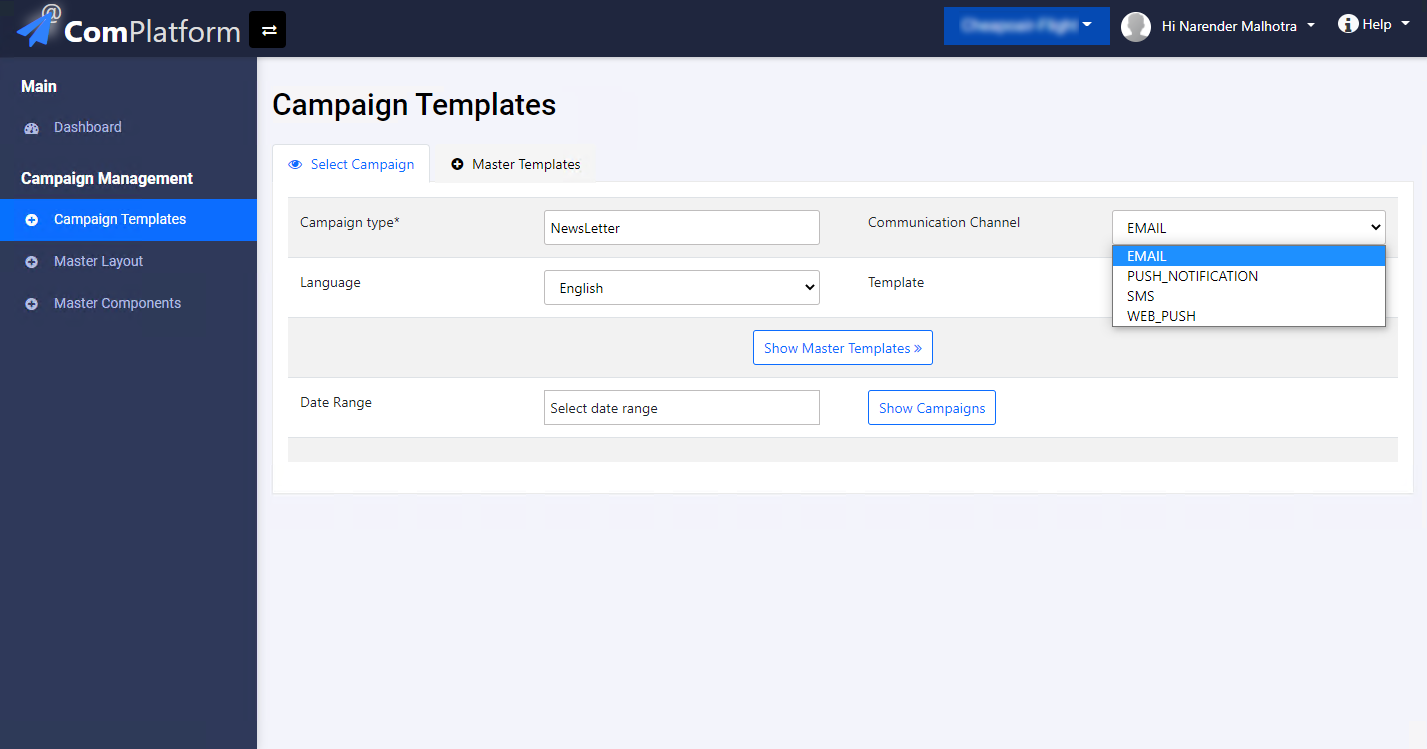
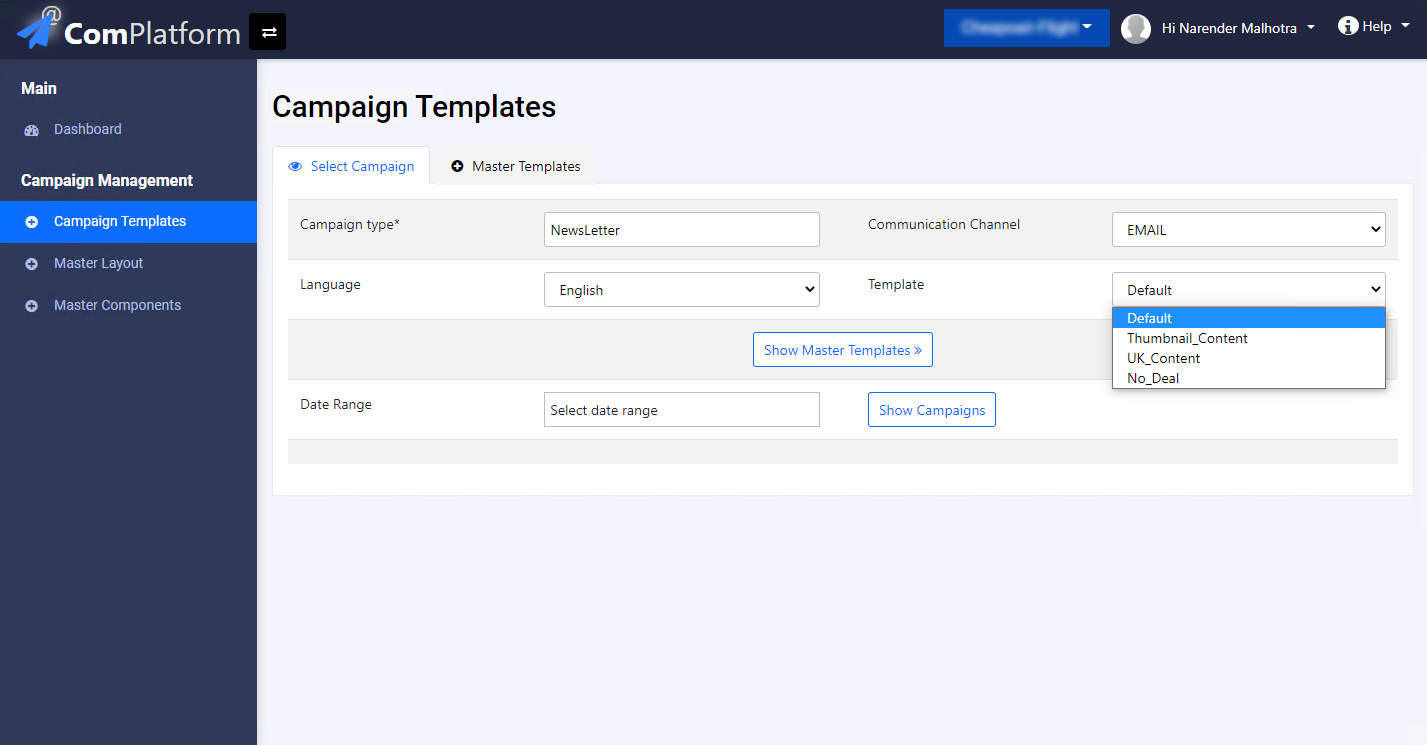
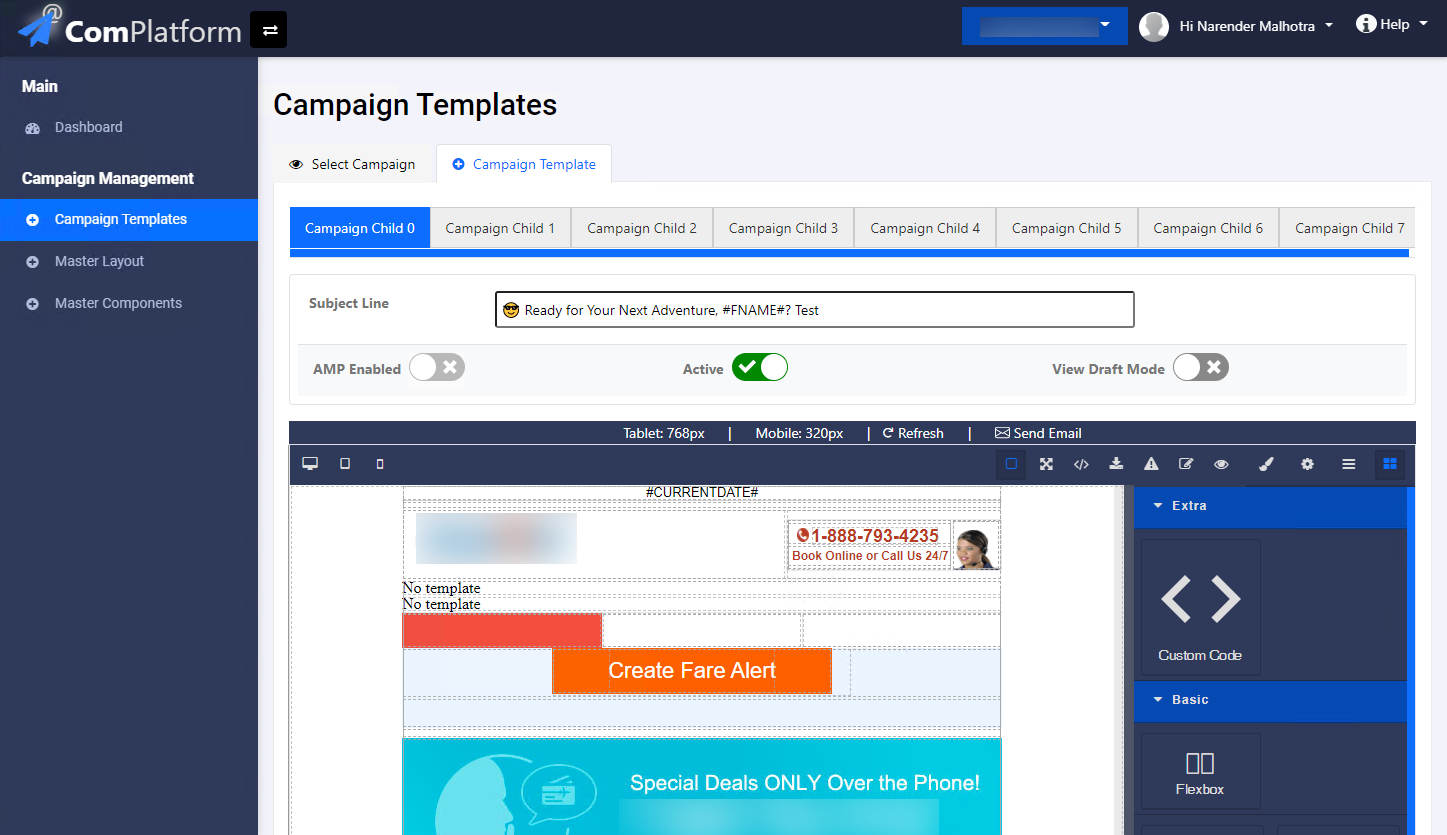
Before — legacy screens
Core user flow
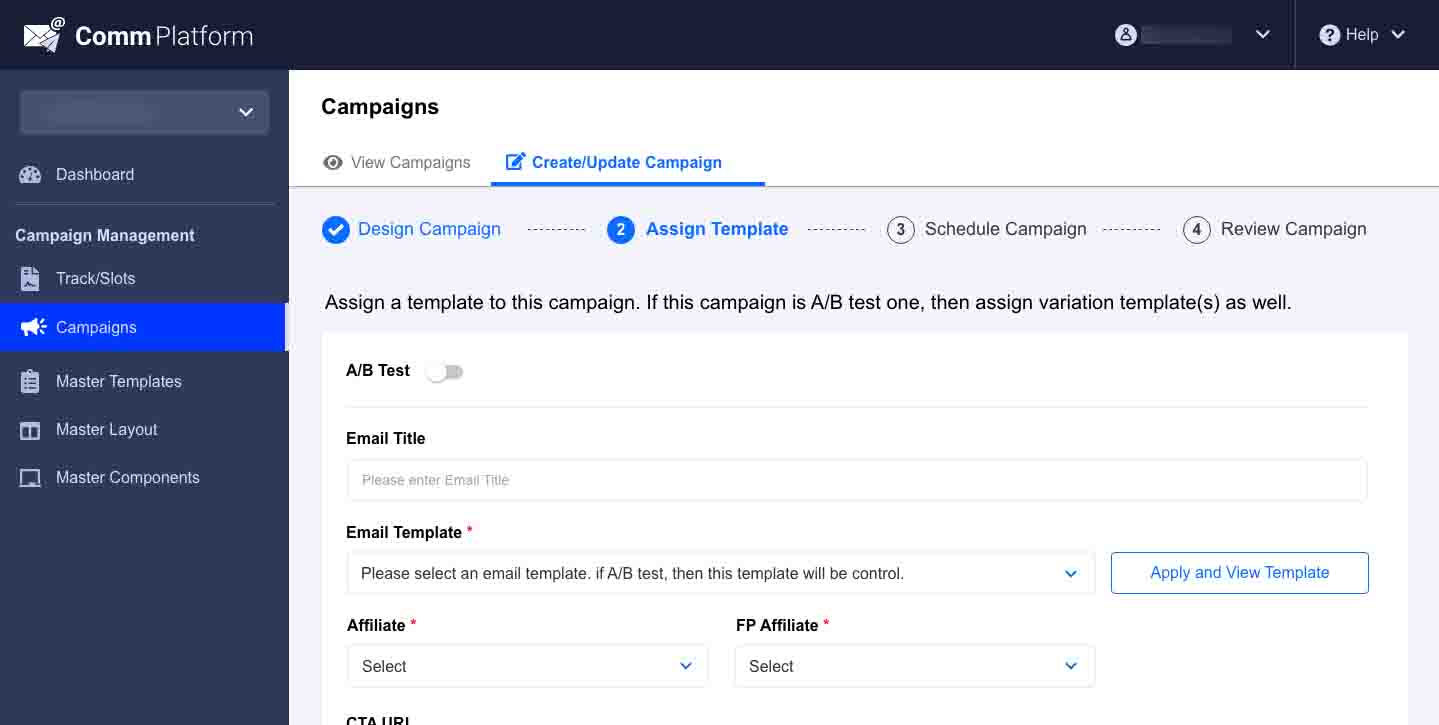
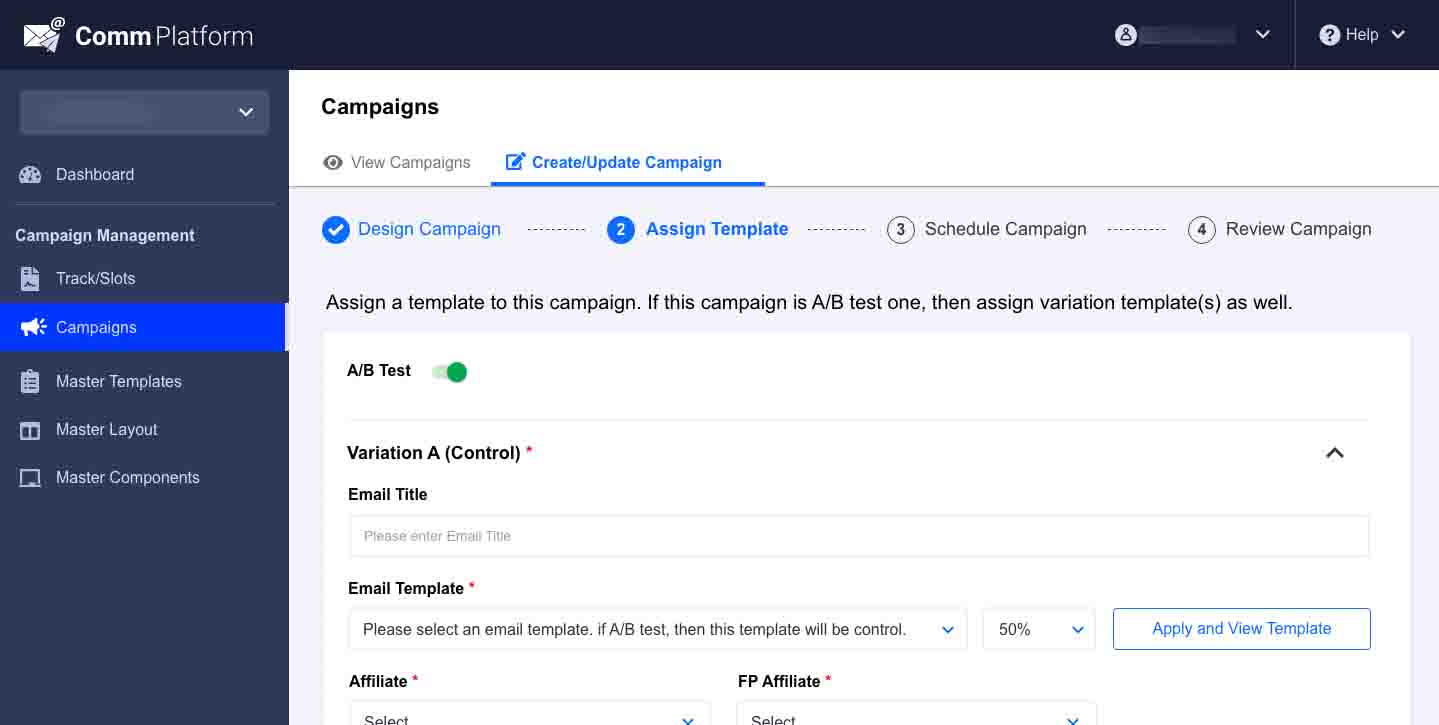
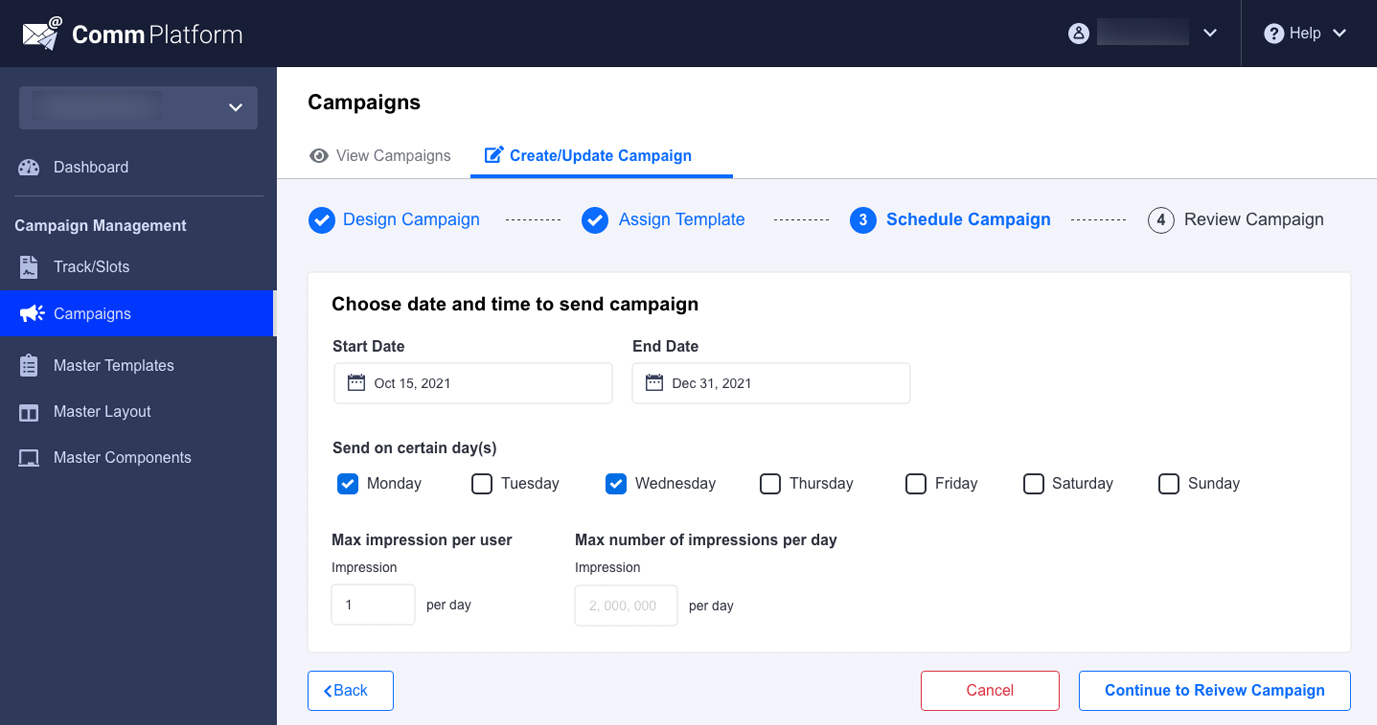
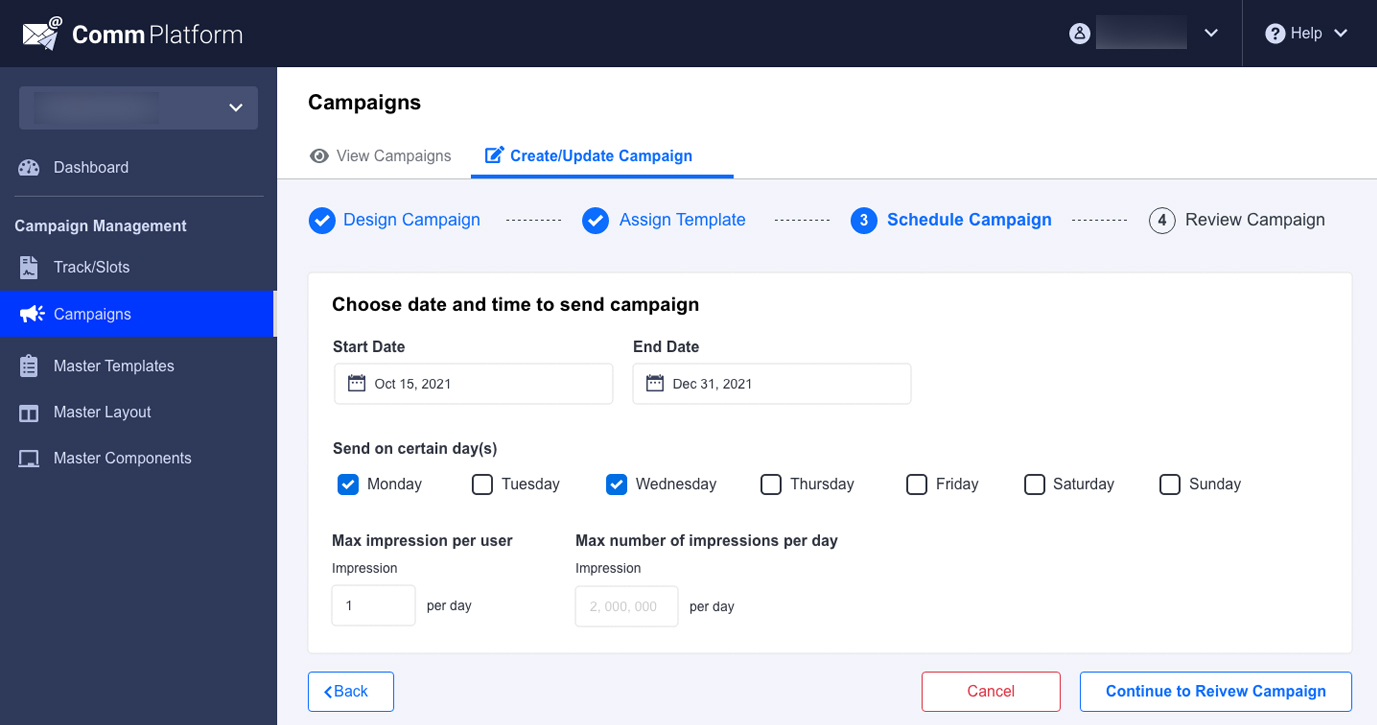
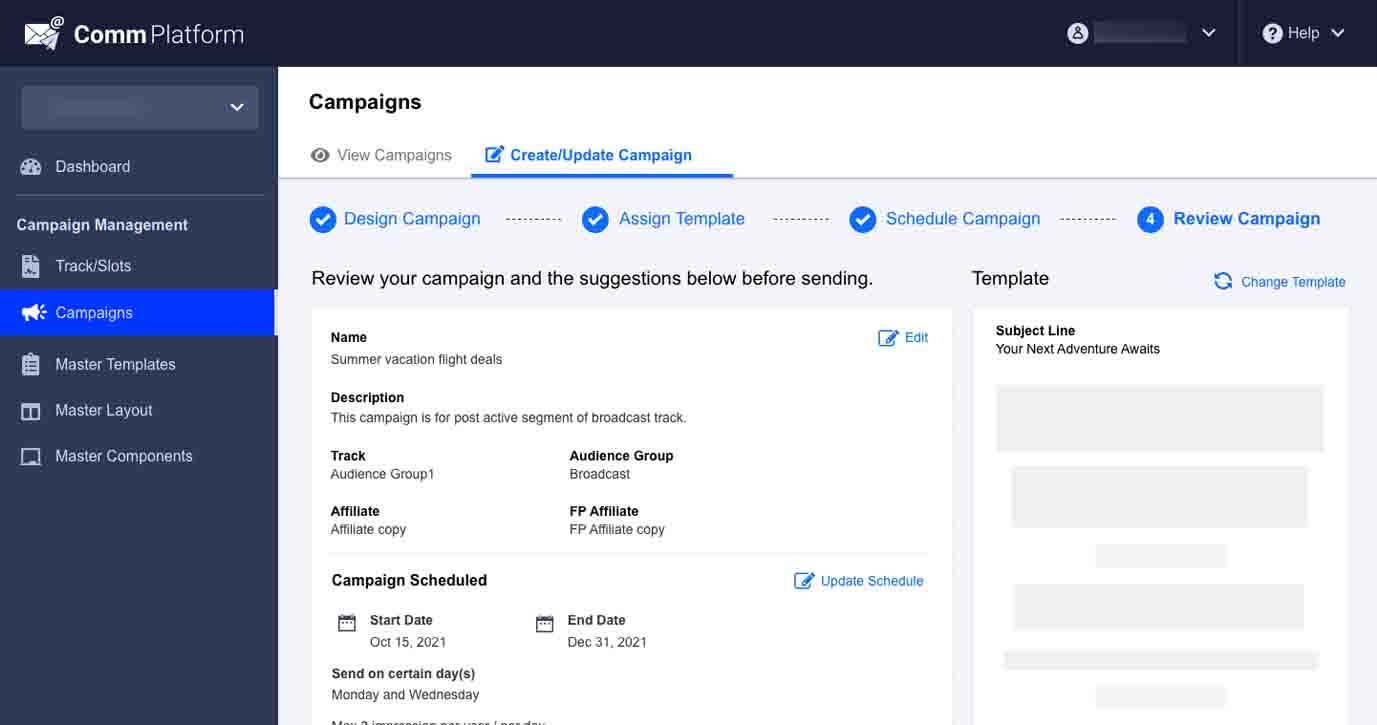
The end-to-end flow connects audience selection, content setup, scheduling, and automation triggers in a single navigable path — so users always know where they are in the campaign lifecycle.
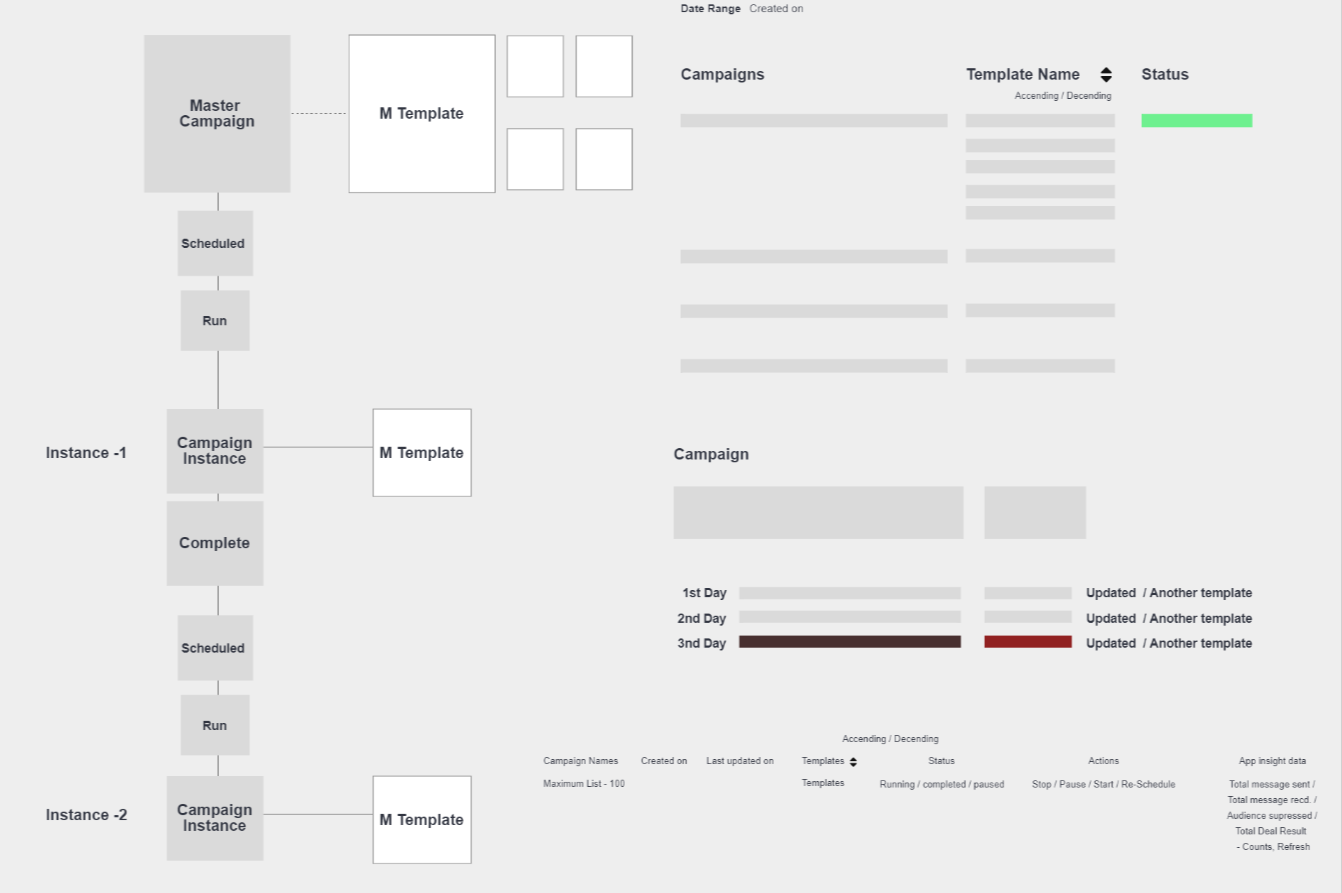
Wireframes
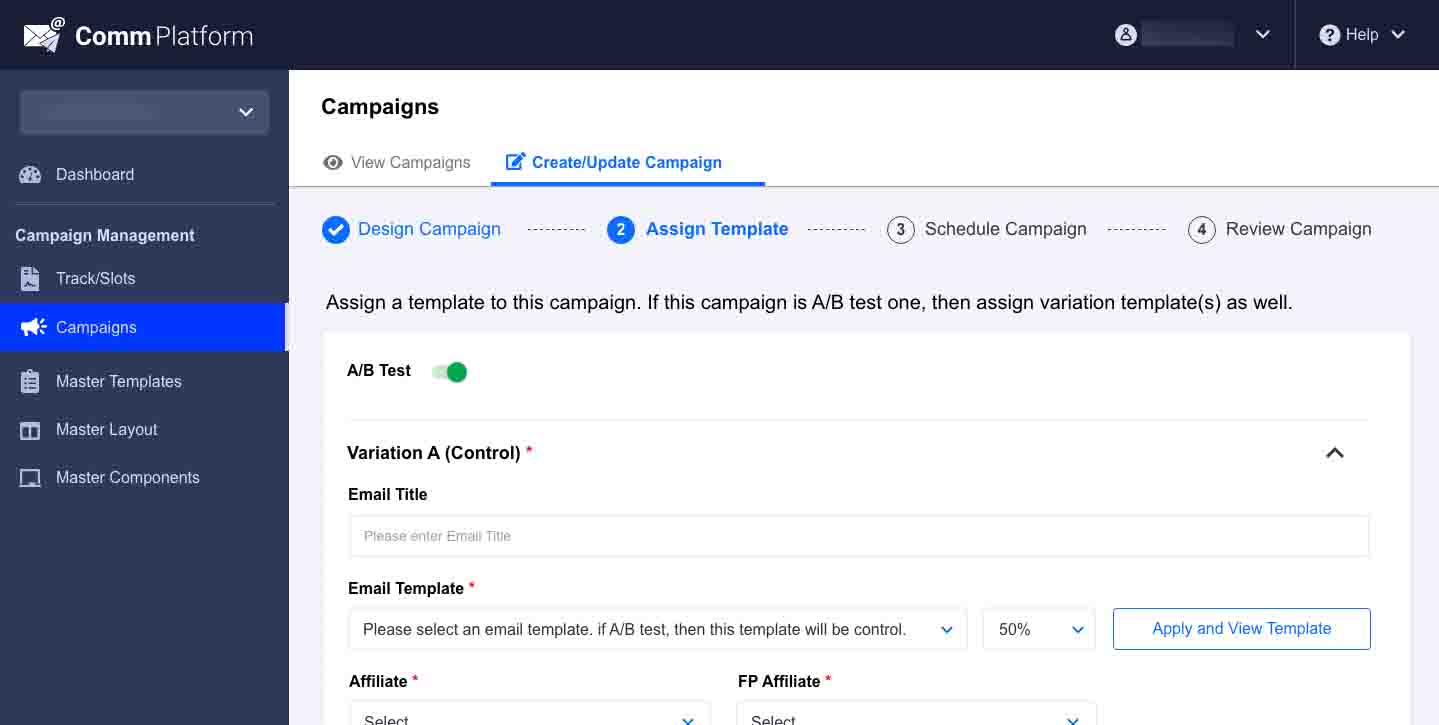
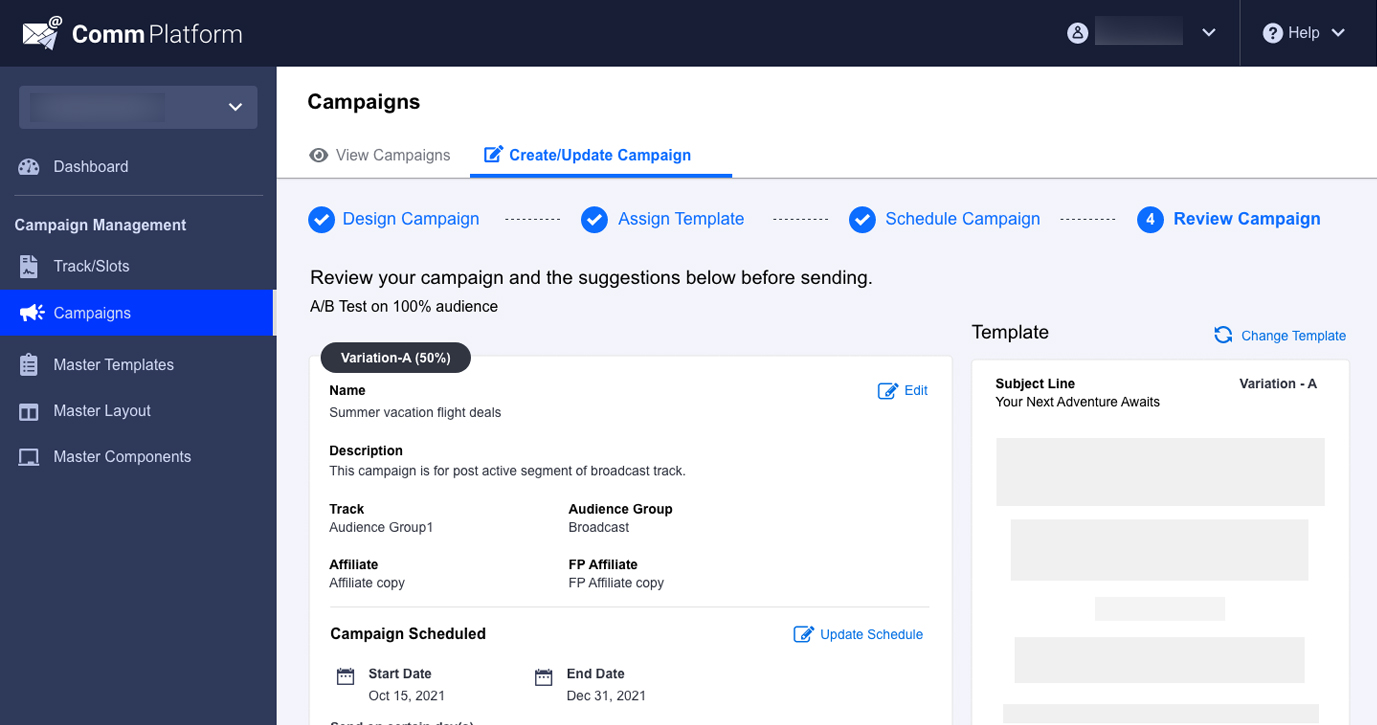
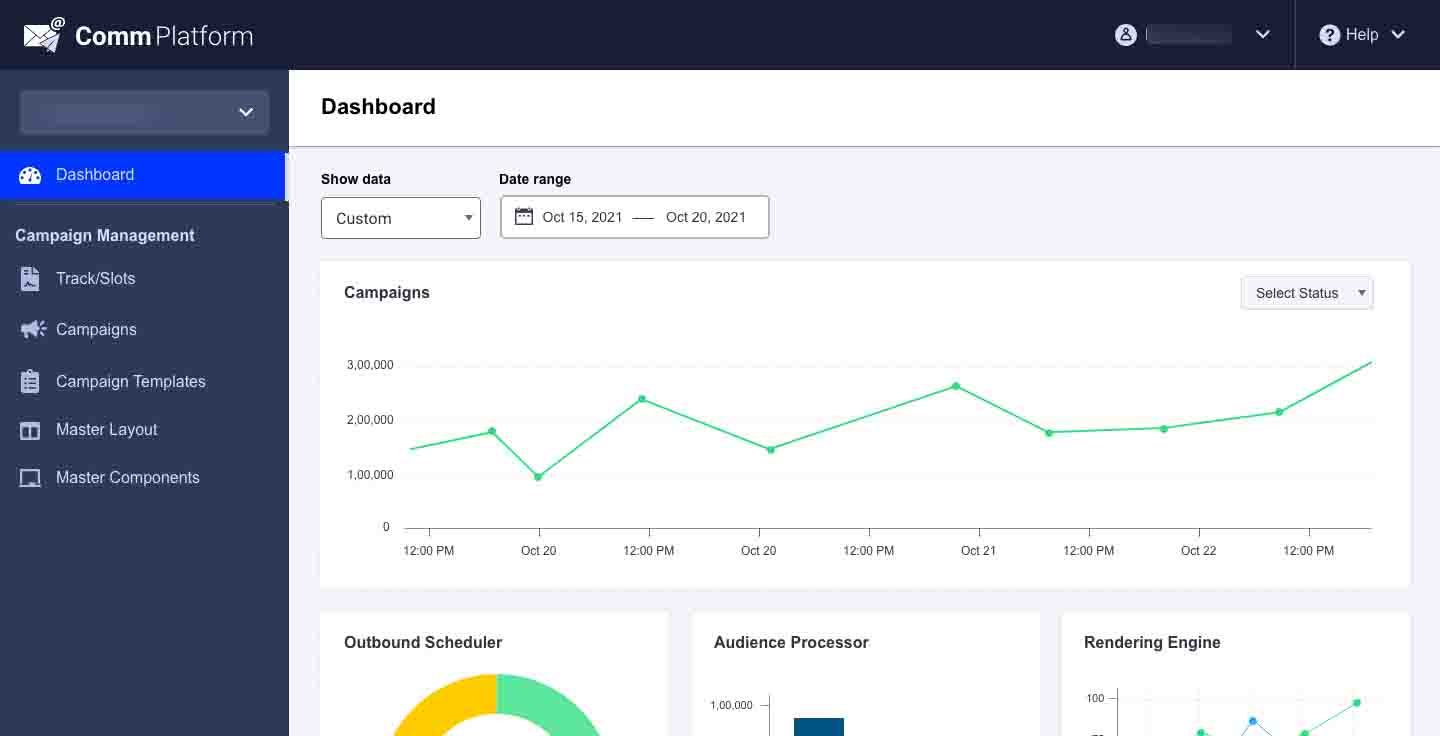
UI design — key screens
Outcomes
- Increased number of campaigns created and scheduled by business users without engineering tickets
- Improved send efficiency and clearer visibility into campaign status
- Stronger redundancy and fault-tolerance patterns reflected in calmer, more predictable UI states
- Higher broadcast newsletter volume as teams trusted the system for repeat sends
My learnings
Prototyping early mattered more than pixel-perfect screens. Wireframes and clickable flows surfaced edge cases in automation logic before engineering commitment — fewer iterations, faster delivery, and a UI that matched how marketers think about campaigns, not how the old database was structured.